How I see a lesson from Flash holds a future of prototyping
 Ryutaro Sakai 11 min read
Modern-day prototyping / authoring tools
Prototyping is a critical part of the UX process. Prototyping tools play an outsized role—and we have seen many programs come and go over the decades. Among them, I want to focus on Adobe Flash (now Animate) and share what I learned from using it for years, and why I think a lesson from Flash still points toward a future of prototyping.
History of modern-day prototyping
When we think about the future of prototyping, it is worth looking back. The chart below shows major prototyping and authoring tools from 1987 to 2020. Along the bottom, I added key product and service launches that shaped the world—just enough context to situate the tools. The list is not exhaustive, but it communicates the arc.
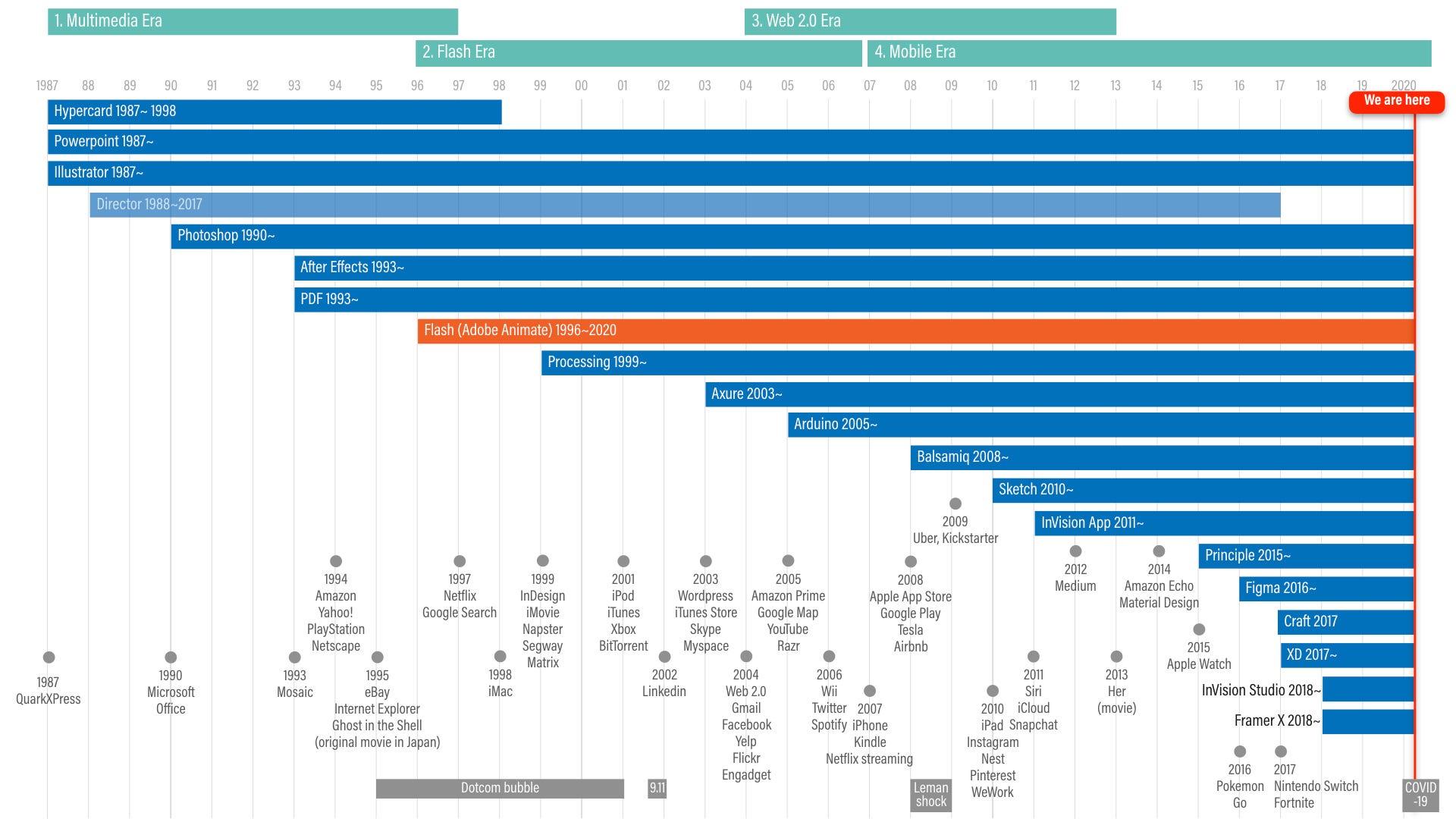 History of prototyping / authoring tools, 1987–2020
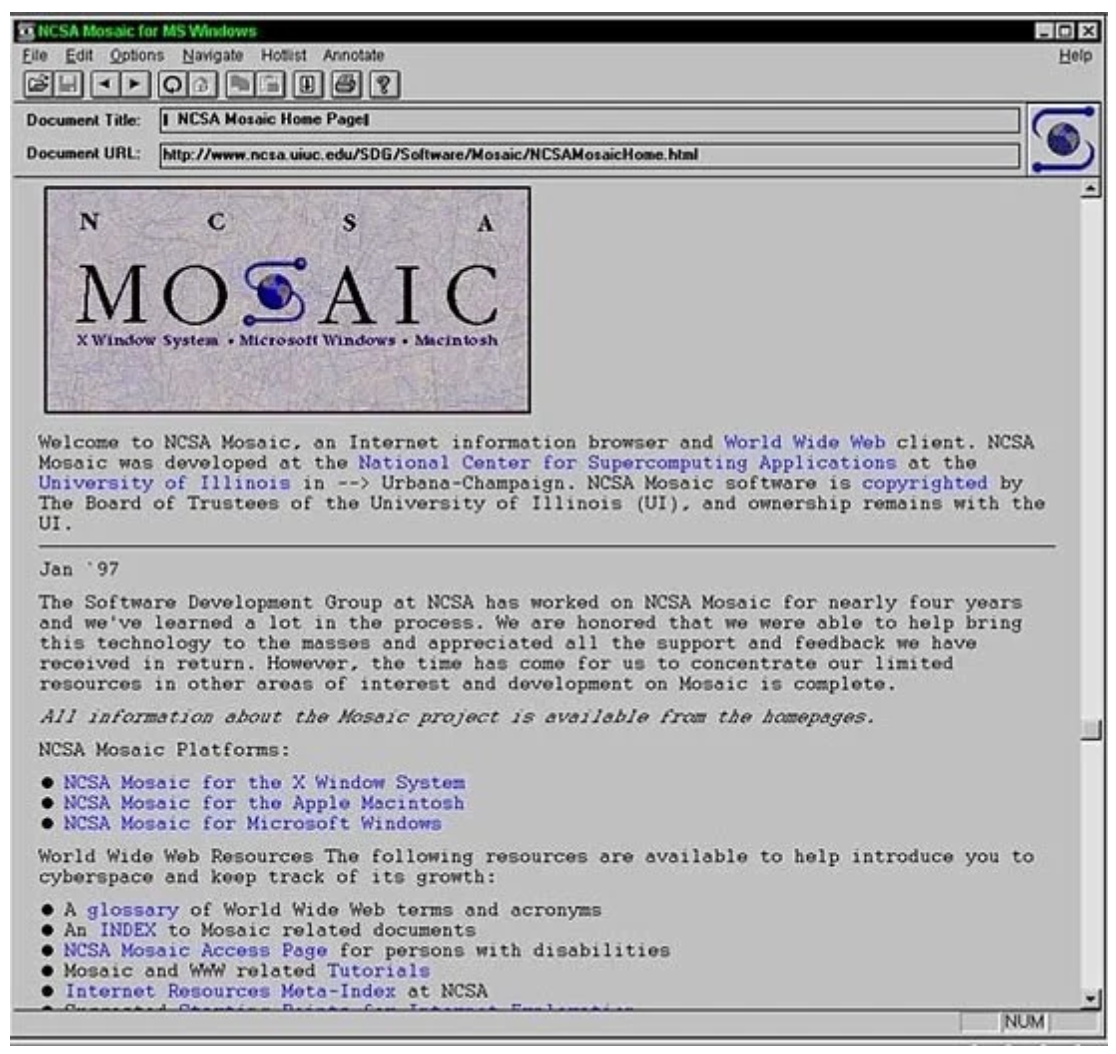 Detail: tools and milestones on the timeline
The rise and fall of tools has always been tied to underlying technology trends, which I roughly bucket as:
- Multimedia era
- Flash era
- Web 2.0 era
- Mobile era
Strictly speaking, PowerPoint, Photoshop, Illustrator, After Effects, and PDF are not “prototyping tools.” But in the early days—and even today—designers still use them to create simple prototypes. Prototyping can be done with almost anything, including pencil and paper.
Processing never became mainstream for UX prototyping, but it created a distinctive interactive / generative art community—and that culture helped seed hardware experimentation platforms like Arduino.
Among these tools, Flash launched in 1996 from Macromedia (later acquired by Adobe in 2005).
Flash in a historical context
In the early 90s, when the web went mainstream through browsers, HTML was extremely limited. Flash helped rescue that environment by enabling rich interaction inside an embedded SWF file on a page.
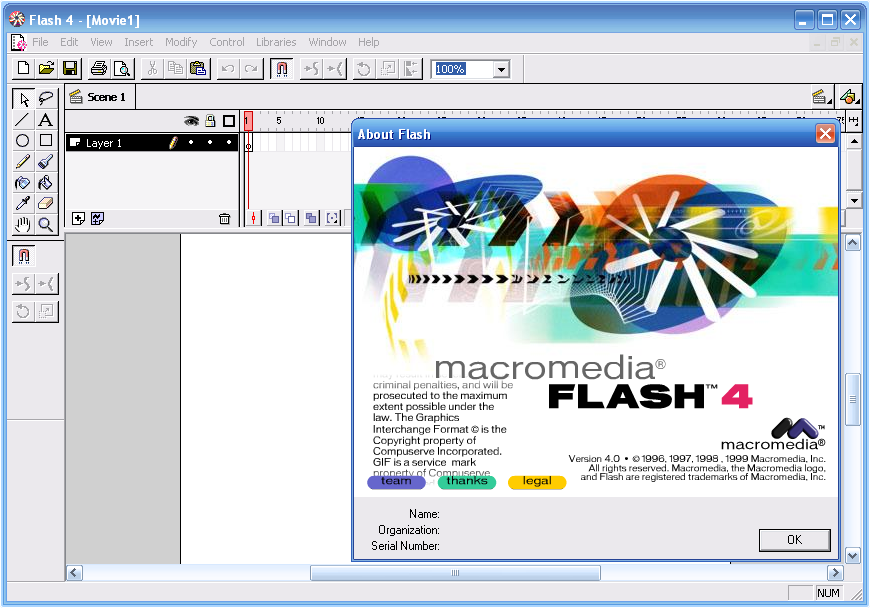 Left: Mosaic web browser (source: Wired). Right: Flash 4 user interface.
From its launch in 1996, Flash quickly became the center of rich internet development—and a dominant prototyping platform through the late 90s and early 2000s. Flash games flourished. Even early YouTube on the desktop web was Flash-based until Google moved YouTube to HTML5 video as the default.
From the early 2000s through 2019, I lived in Flash. I built hundreds of Flash prototypes—simple flows and advanced concept pieces alike. For that work, Flash was often perfect.
It is true that Flash had serious technical issues: sluggish performance, weak memory management, bugs, poor deep-linking inside experiences, and the never-ending plugin update treadmill.
But from a designer’s perspective, Flash offered something close to an ideal environment for several reasons.
Flash took almost any media effortlessly
Flash was flexible about what you could bring in and how you could work: text, images, vector, video, and audio. At a time when many tools were siloed by media type, Flash let you treat imported assets similarly—scale, group, animate, and add interactivity with a shared mental model. Flash even had a camera object you could manipulate like other objects.
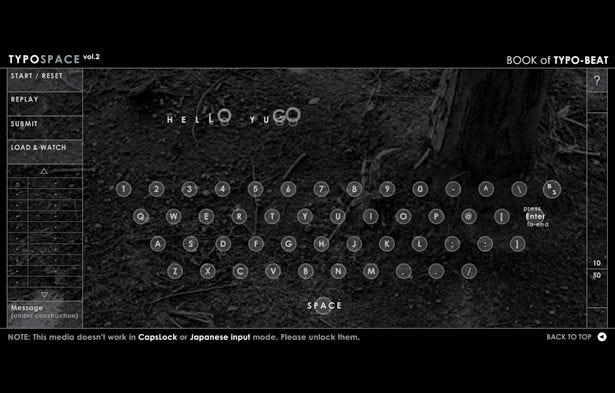 Mono*crafts — a Flash-based website that inspired many designers, 1999
In short, Flash gave designers freedom to push creativity in ways that had not been so easy before. A lot of inspirational experimental work came out of that era.
Nested timelines
One of Flash’s most powerful ideas was nested timelines—a visual form of composition that felt like object-oriented thinking without forcing everyone into an engineering workflow first.
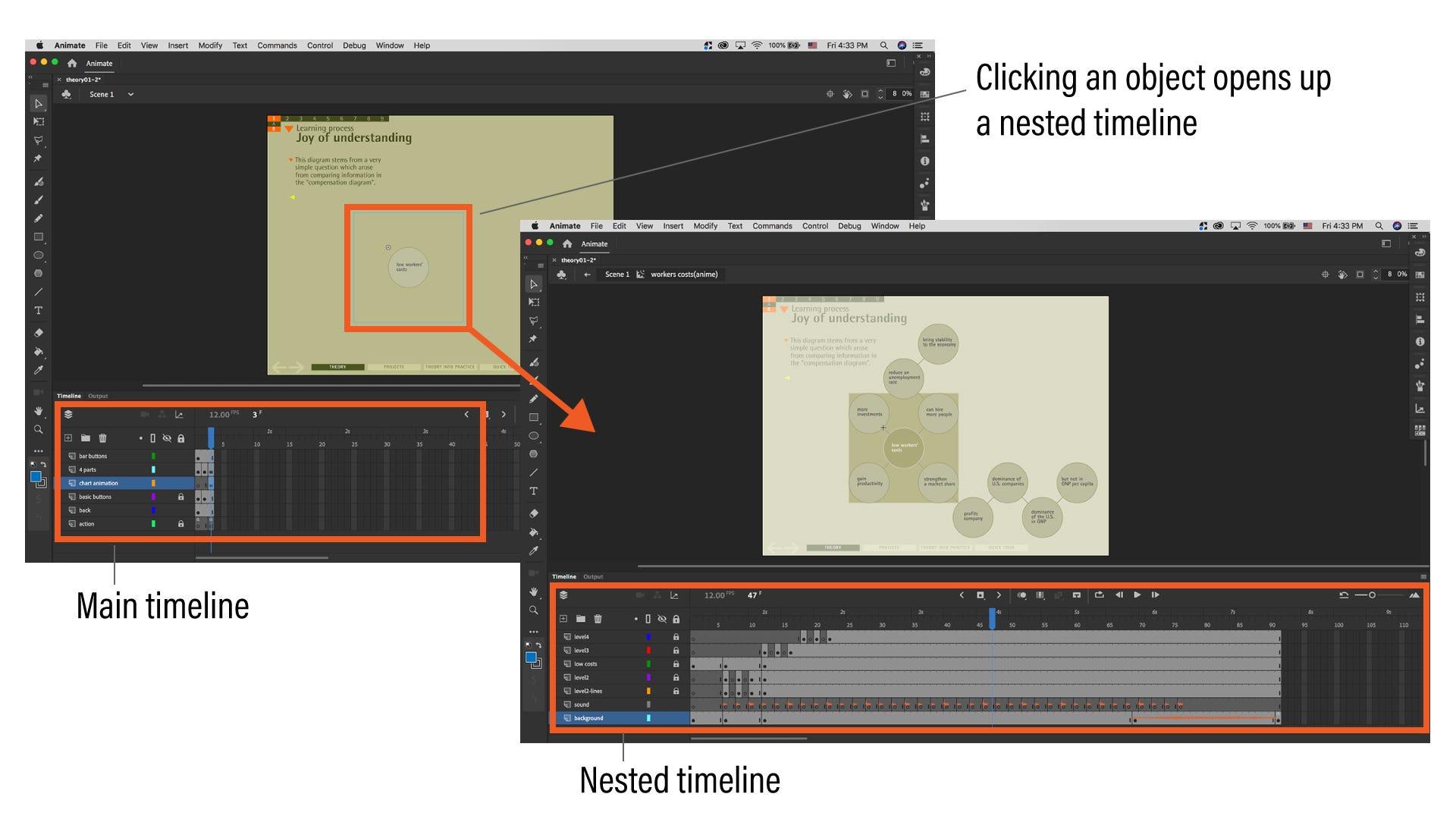 Adobe Animate (previously Flash) UI showing a main timeline (left) and a nested timeline when an object is selected (right).
Micro-interactions could live inside objects. It could get complex, but the model was straightforward to learn and reason about.
Controlling multiple timelines with small scripts
Multiple timelines usually needed only basic controls: play, stop, loop, and a few navigation commands. Even designers without much coding experience could use snippets like stop();, gotoAndStop(1);, or gotoAndPlay(1); on a frame.
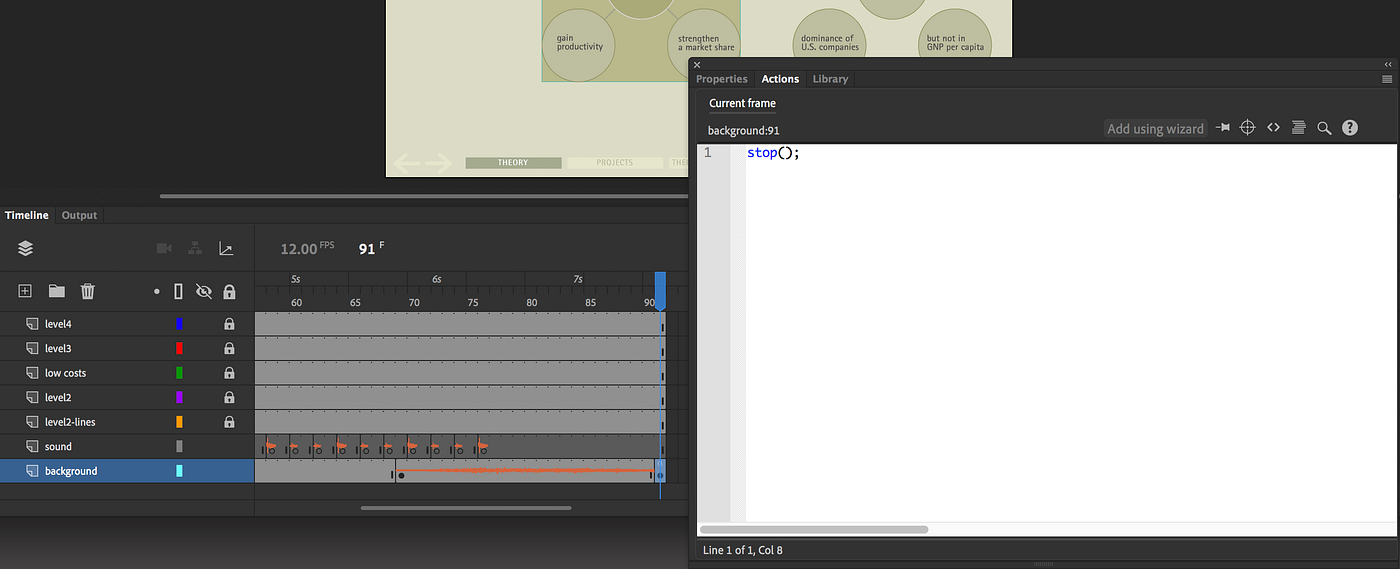 Adobe Animate: timeline control via ActionScript.
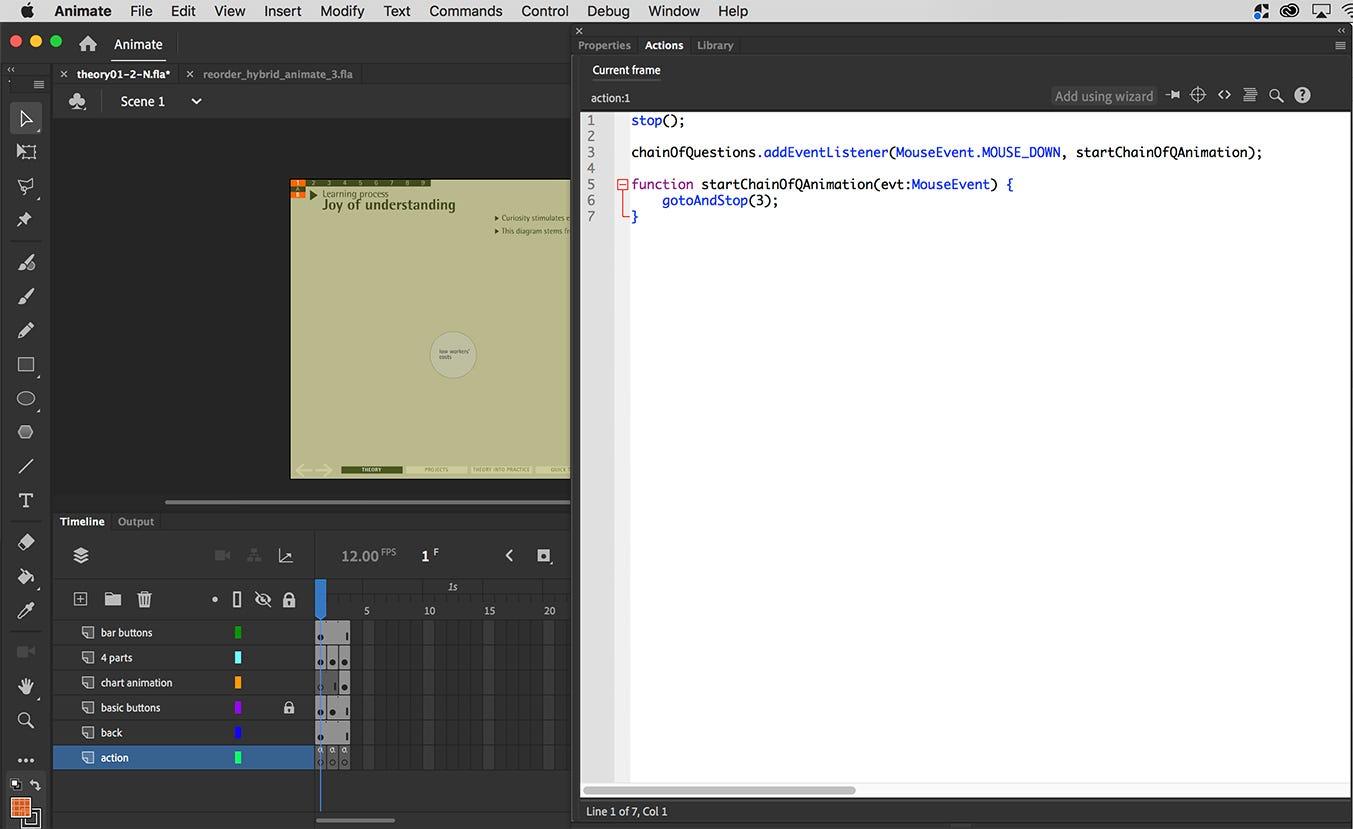 Adobe Animate: adding interactivity in ActionScript.
ActionScript 3.0 became more complex than AS1/AS2, but the core idea stayed: small scripts could bridge screens and states without turning every prototype into a software engineering project.
Animation was baked in by default
Flash began as a vector animation tool—so motion was not bolted on; it was part of the environment. That mattered when the web still felt mostly static.
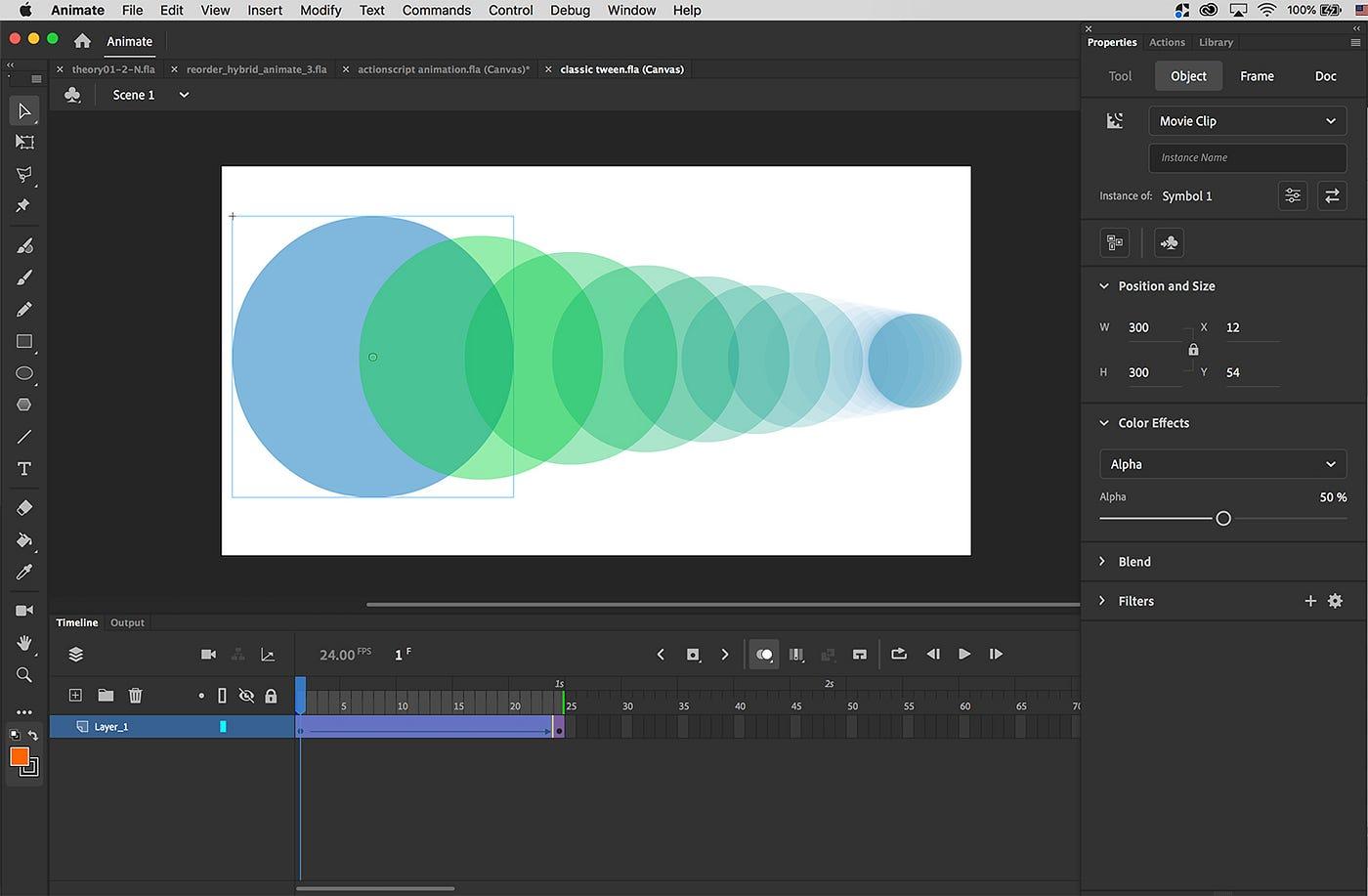 Adobe Animate: tween animation.
Flash gave designers a fresh canvas: many media types, animation everywhere, and lightweight interactivity. For exploratory work, that combination was hard to beat.
Blending graphical and coding approaches
Another unique strength was how Flash let you blend approaches.
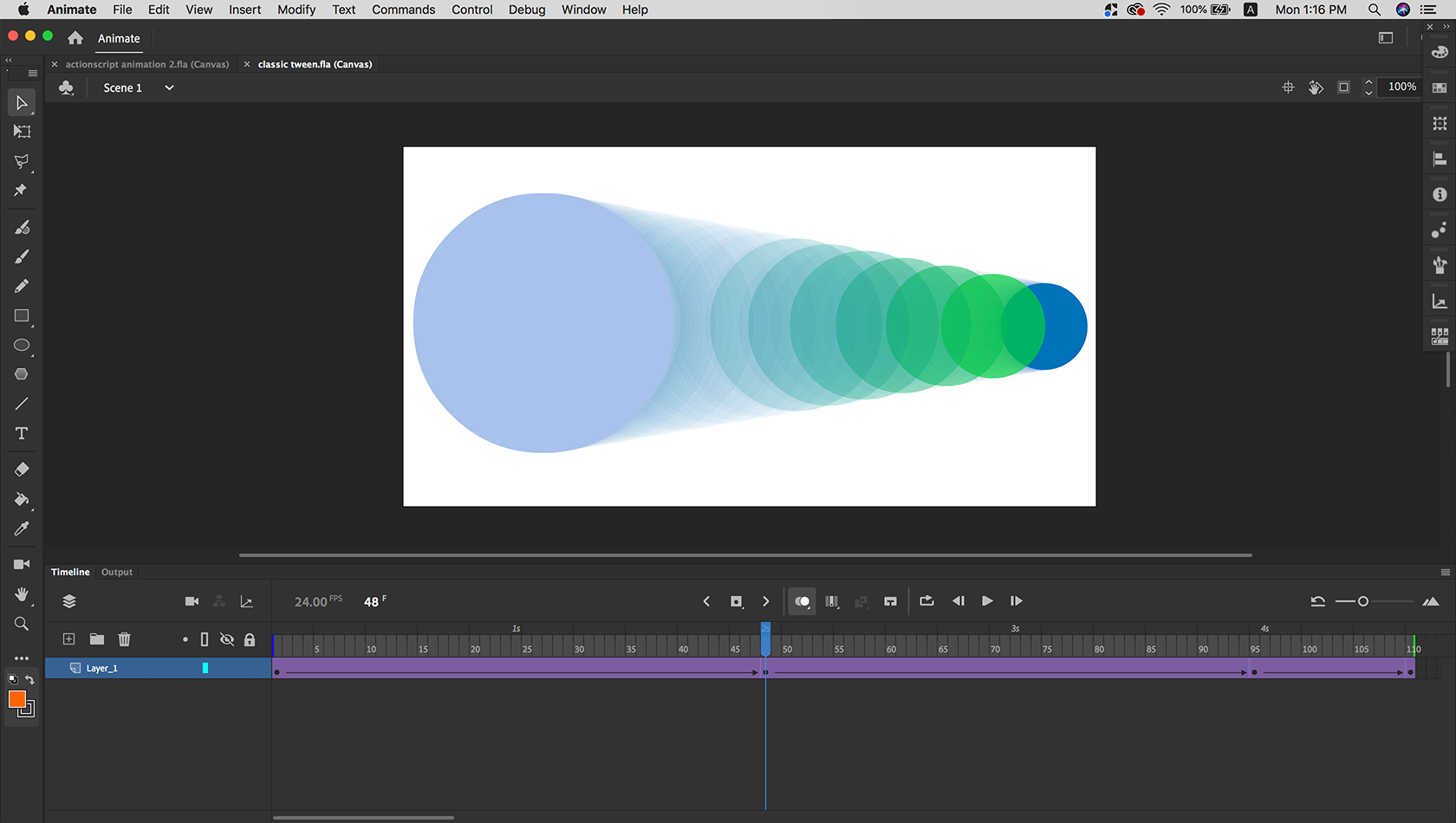 Left: tween animation. Right: ActionScript-based animation.
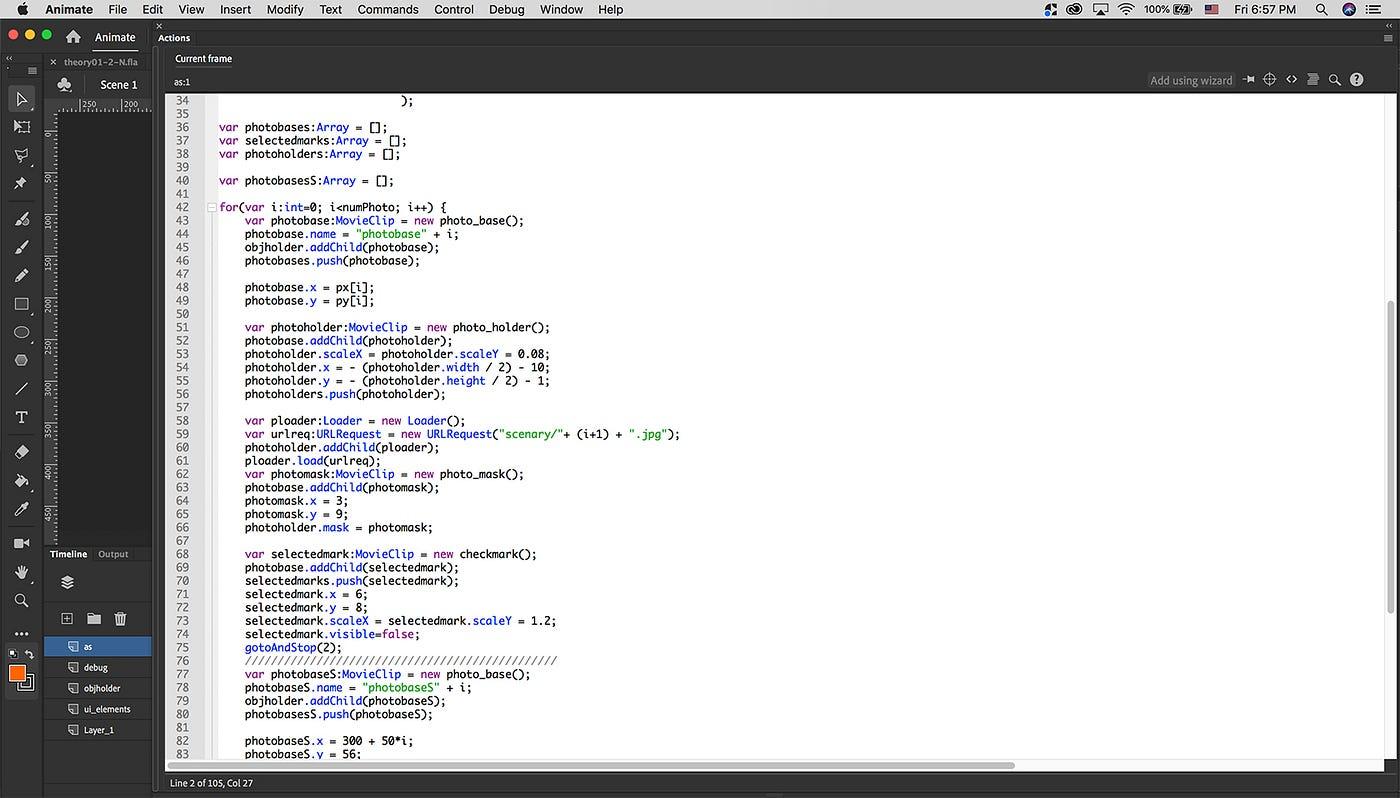
If you wanted to stay mostly in the GUI, you could—tweening on the timeline plus a little ActionScript for interaction. If you had more code comfort, you could go deeper: combine tweening with scripted motion, combine library symbols with dynamically created objects, and choose your own balance (80/20, 50/50, 20/80—whatever fit the prototype).
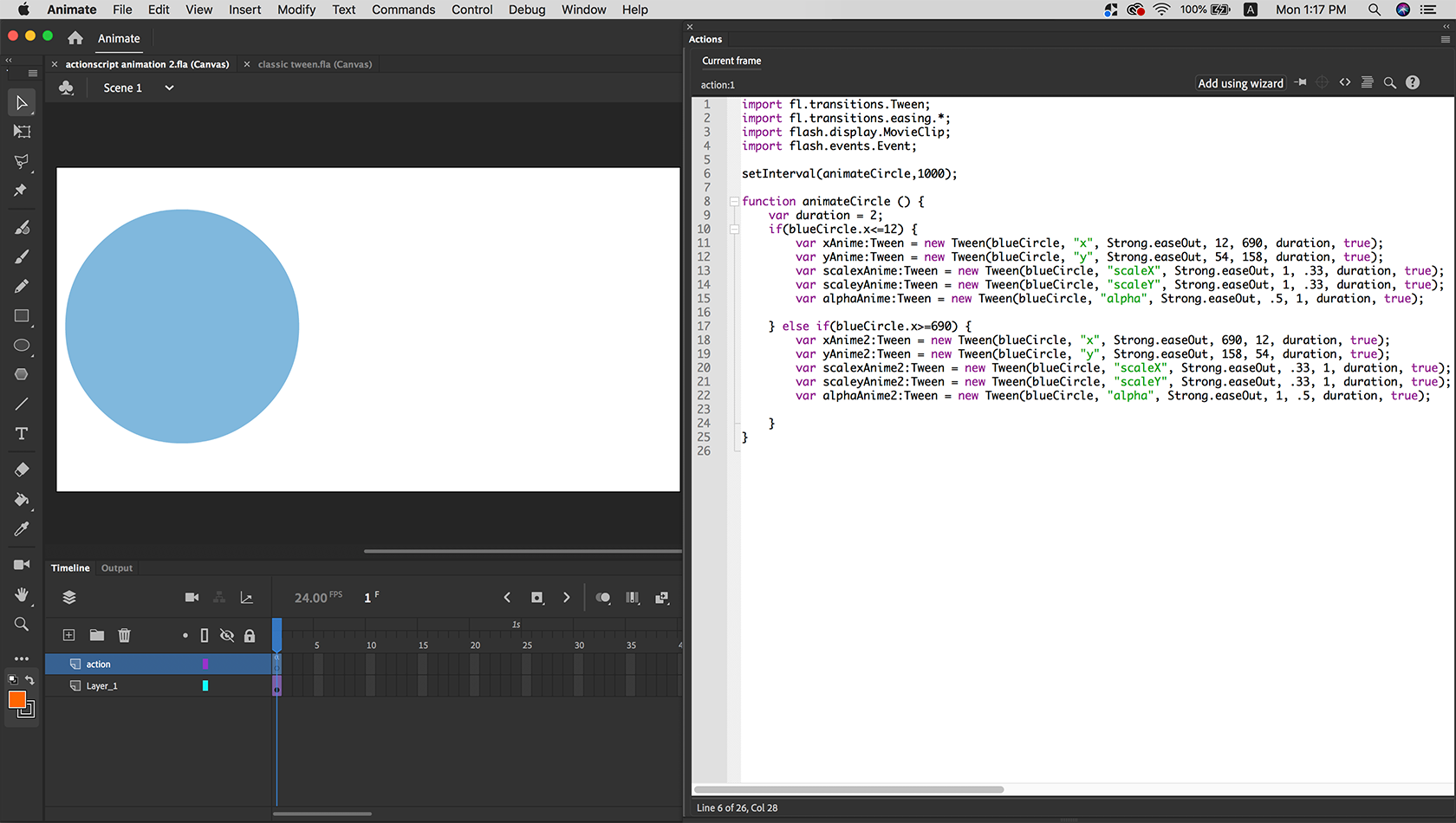 ActionScript-heavy approach.
If you wanted to go 100% code, you could—defining much of the experience in ActionScript without manually placing MovieClips on stage (Flash or Flash Builder).
That flexibility mattered when you hit walls: if code became a time sink, you could pivot to timeline animation; if tweening fell short, a small script could unlock the next level.
A shared platform for designers and engineers
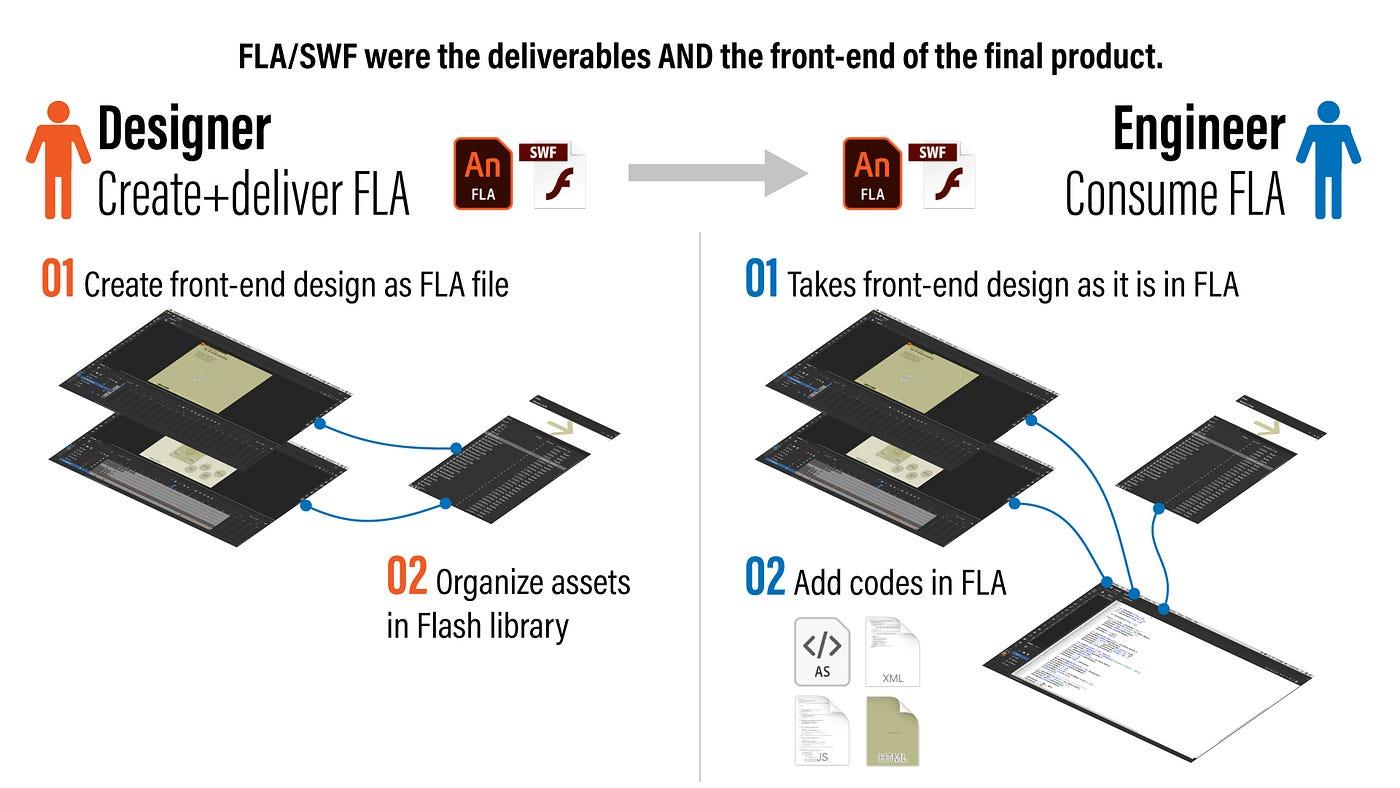
Flash also created a rare workflow: designers and engineers could work on the same artifact.
 Designer-to-engineer handoff model in Flash.
Designers could build visuals, motion, and interaction in Flash and hand engineers a FLA/SWF-centric package. Engineers did not always need to rebuild the front end from scratch the way many web workflows demand today—they could extend the same structure with ActionScript to ship the product.
When the world shifted toward HTML5 and mobile, we lost some of that shared-surface flexibility.
Web 2.0 and Axure
 Many popular web services emerged in the early 2000s when Axure launched.
In the mid 2000s, Web 2.0 changed expectations: dynamic experiences without plugins. Facebook, Gmail, Twitter, Skype, Google Maps, YouTube, WordPress, and more reshaped what “normal” felt like on the internet.
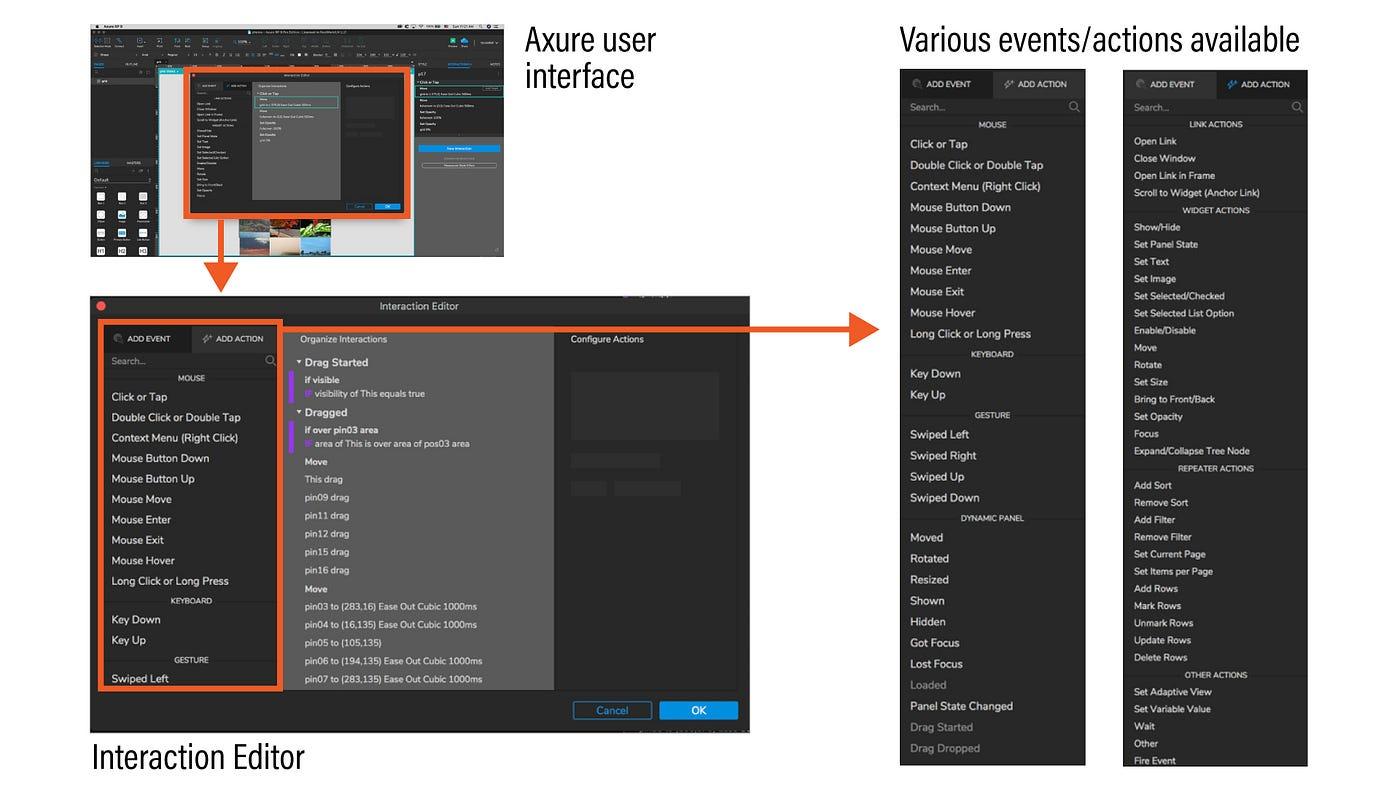
 Axure Interaction Editor.
Axure launched in 2003 to address emerging needs for designing Web 2.0 applications. In a sense, Axure tried to deliver Flash-like capability through an interaction editor—without requiring code. Axure’s editor is powerful, but for complex interactions it can feel heavy compared to expressing logic in ActionScript with a few lines.
 Axure cloud publishing feature.
Axure was lighter than Flash for many teams, published prototypes in native HTML5 (no plugin), and shipped with cloud sharing—something that later became table stakes for prototyping tools.
The world became mobile-centric
When the iPhone launched in 2007, Apple did not support Flash on iOS—performance and battery were central concerns. Steve Jobs’ essay Thoughts on Flash (2010) remains the canonical explanation from Apple’s point of view. In 2008, the App Store and Google Play accelerated a shift from desktop-first to mobile-first experiences.
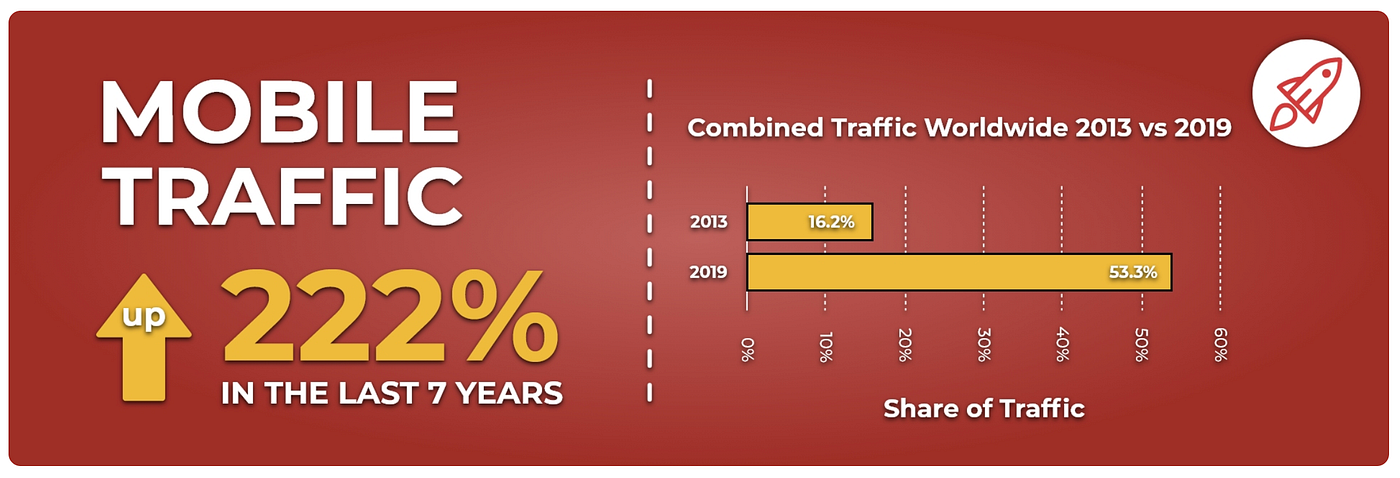
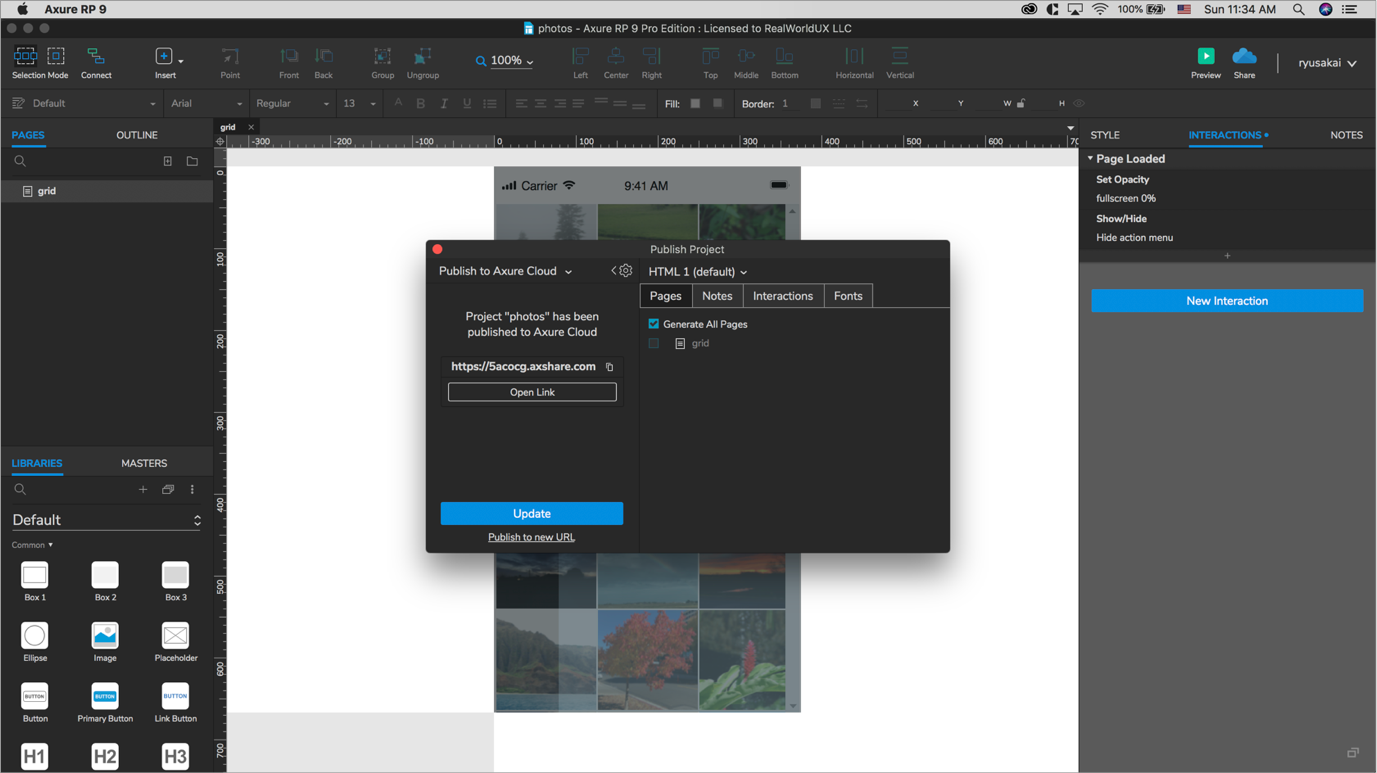 Image from BroadbandSearch — mobile share of internet usage has grown substantially.
Because Axure began life as a desktop-web-oriented tool, it was not always the best fit for mobile-first product design. As mobile took over, many tools emerged with a mobile-first mindset—and customer expectations for polish rose everywhere, including desktop web.
Today’s prototyping tools
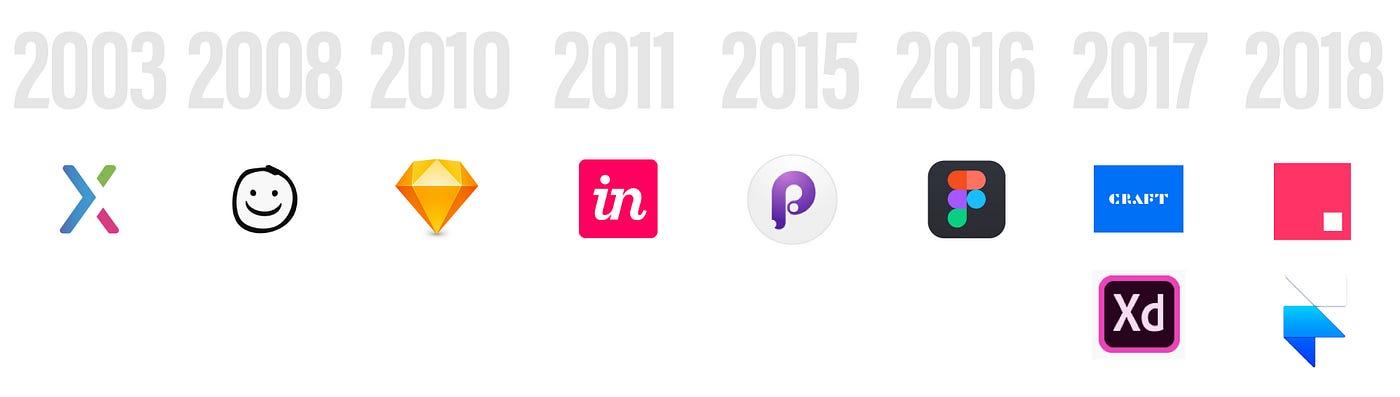
 Modern prototyping tools emerged between the 2000s and 2010s.
Today, UX designers are expected to design, test, and iterate on shorter timelines. Tools responded with fast workflows: Sketch, Craft, Balsamiq, InVision Studio, Principle, Adobe XD, Figma, Framer, and more.
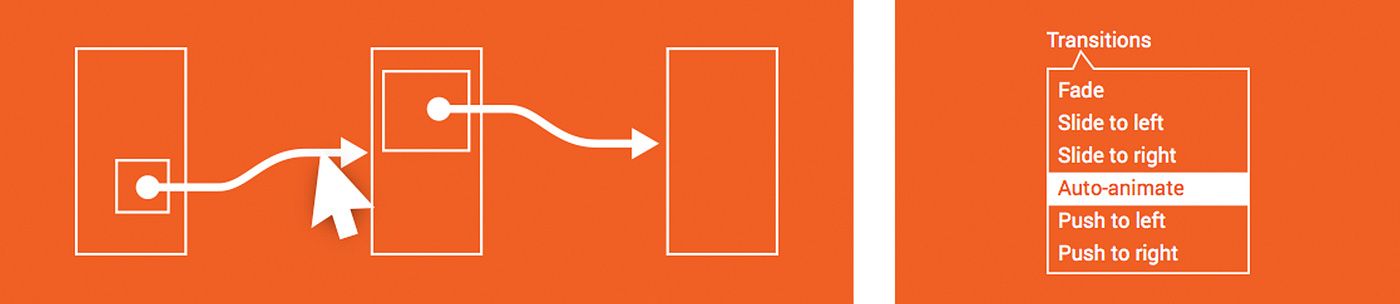
 Left: “stitch screens with wires” interaction model. Right: auto-animate transitions.
A common pattern is linking screens with wires plus auto-animate transitions between connected frames. “Smart” features also reduce grunt work—examples include Smart Layout in Sketch, Duplicate and Data in Craft, Repeat Grid in Adobe XD, and Stacks in Framer.
Those wins are real. At the same time, I sometimes worry the market is optimizing so aggressively for today’s mobile conventions that tools leave less room for exploratory, unconventional ideas.
There is nothing inherently wrong with user-centered patterns—but UX is not only implementing what users already recognize. It is also imagining a better future from what we hear and observe. That work needs free-flowing creativity—and prototyping tools should reduce friction for wild experiments, not only speed up standard screens.
New experiments toward the future
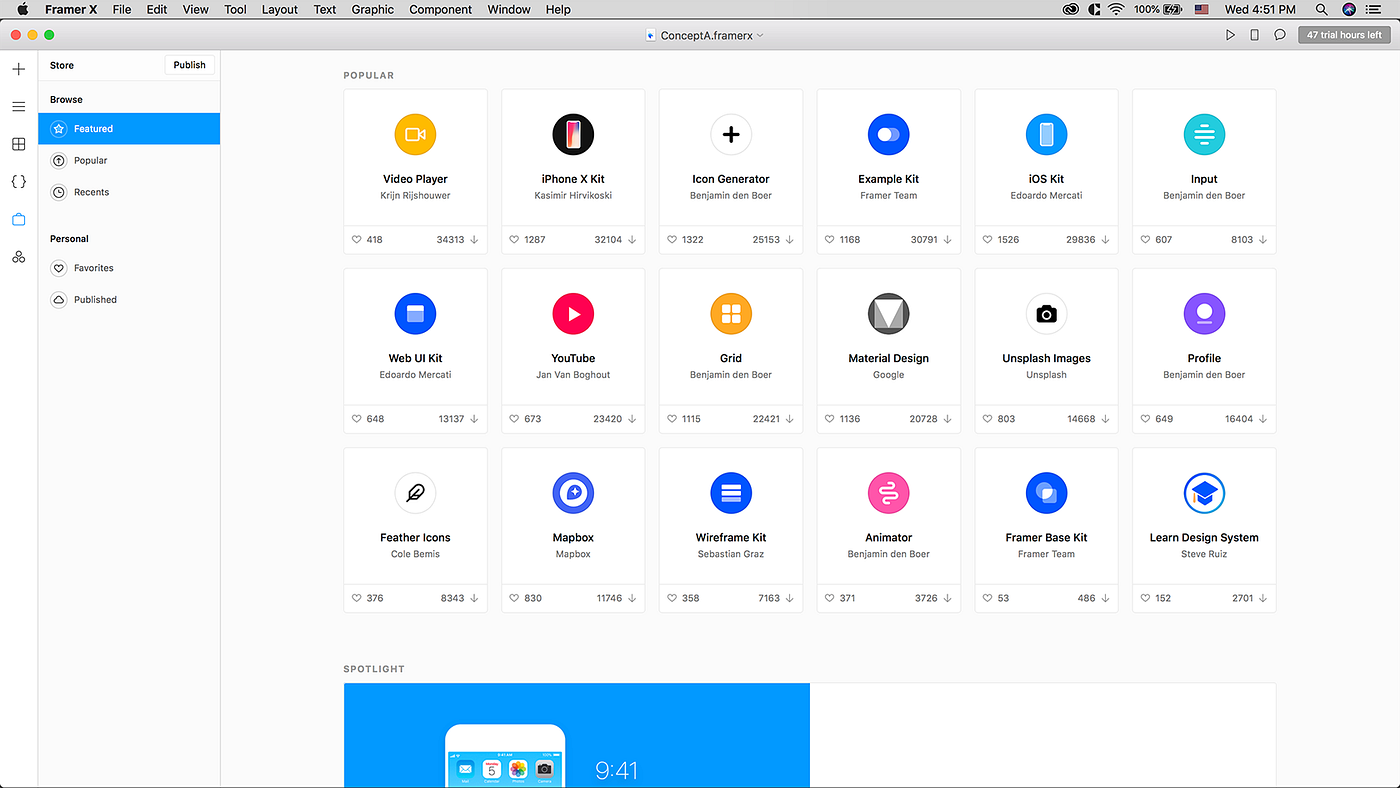
 Framer X store — custom components
There are promising experiments. Framer has explored component ecosystems and code-forward extensibility (including Motion). Adobe XD has pushed voice prototyping—an area that will keep growing as voice becomes more embedded in daily life.
 Adobe XD: voice interaction prototyping
I hope the next generation of tools invests more in free-form flexibility so designers can push concepts further—unexpected, innovative, and occasionally weird—in service of learning.
From that angle, Flash’s lesson is still valuable: in the early web, Flash helped many designers feel permission to explore—and helped the industry see what interaction could be.
I look forward to a world where experimenting with bold concepts is easy for both designers and engineers.
I also look forward to a world where a designer’s prototype can be the front end engineers extend—rather than a disposable sketch that must be rebuilt from scratch with a separate spec package and exported bitmaps.